
Problem with Divigrid
Dear Divigrid Team,
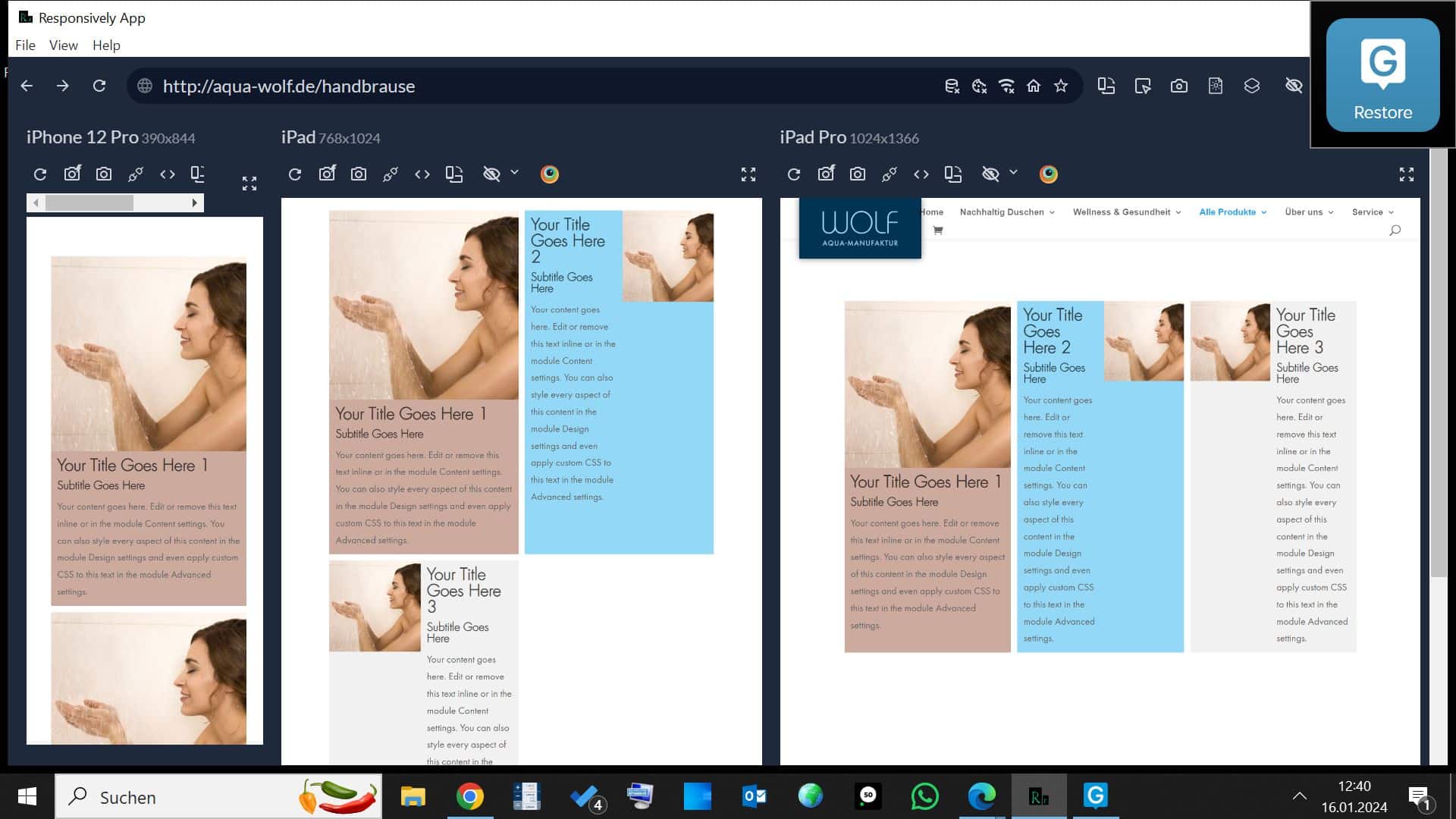
Hello just got Divigrid together with Divi and would like to create horizontal elements with image and text each with a size of two columns with „DG contend grid“. The images are square and fill half of the elements. The text is in the other half. The images are arranged once on the right and once on the left.

Your Title Goes Here 1
Subtitle Goes Here
Your content goes here. Edit or remove this text inline or in the module Content settings. You can also style every aspect of this content in the module Design settings and even apply custom CSS to this text in the module Advanced settings.
Your Title Goes Here 2
Subtitle Goes Here
Your content goes here. Edit or remove this text inline or in the module Content settings. You can also style every aspect of this content in the module Design settings and even apply custom CSS to this text in the module Advanced settings.
Your Title Goes Here 3
Subtitle Goes Here
Your content goes here. Edit or remove this text inline or in the module Content settings. You can also style every aspect of this content in the module Design settings and even apply custom CSS to this text in the module Advanced settings.
It looks just right on the desktop. On mobile too, as the „Image top on mobile“ switch is activated. Here, the image always comes first and then the text. That fits.
There are only problems with iPads. Here the elements are already rotated from horizontal to vertical, but the image is not arranged in full size at the top. The images are pushed to the right or left side at half size and the text to the other side. You can see the problem on the image below.
Is there a solution to this problem?